

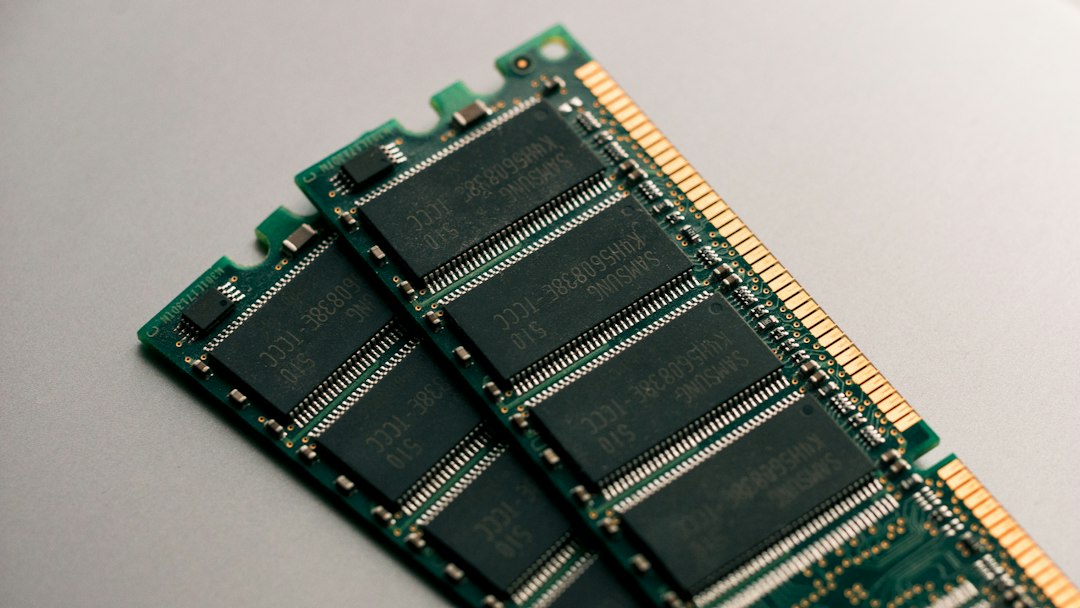
Memory bandwidth contention happens when several CPU cores, virtual machines or applications compete for the same limited data path between the processor and RAM. Each workload slows down because the memory channels cannot move data fast enough for all of them, even when plenty of free memory and idle CPU remain. It is a common cause of unexplained slowdowns on busy virtualization hosts.
Key takeaways
- Memory bandwidth is how much data per second the CPU can read from and write to RAM. All cores on a socket share it.
- Contention is different from running out of RAM. The memory is available, but the channels are saturated.
- Typical signs are slow applications, stalled CPU cycles and poor scaling when you add vCPUs.
- You can measure it with tools such as perf, Intel PCM, numastat and the STREAM benchmark.
- Fixes include NUMA-aware placement, filling every memory channel, right-sizing VMs and spreading heavy workloads across hosts.
What is memory bandwidth contention?
Memory bandwidth contention is a performance bottleneck where workloads share the same memory controllers and channels and together ask for more data than those channels can deliver. A CPU socket has a fixed number of memory channels, and every core, VM and container on that socket draws from them. When one memory-hungry workload uses most of the bandwidth, its neighbors wait, a pattern often called the noisy neighbor problem.
What causes memory bandwidth contention?
Memory bandwidth contention is caused by too many memory-intensive workloads sharing too few channels or by poor placement of those workloads. The usual causes are:
- Memory-heavy workloads. Analytics, in-memory databases, caching layers, video processing and scientific code stream large amounts of data.
- Dense consolidation. Many VMs packed on one host mean many cores sharing the same channels. This is common in virtual desktop environments, as covered in our guide to the advantages of VDI.
- NUMA misplacement. A VM that runs on one socket but uses memory attached to another forces traffic across the inter-socket link and adds latency.
- Unbalanced memory population. Leaving memory channels empty or mixing DIMM speeds lowers total bandwidth.
- Too many vCPUs per VM. Oversized VMs spread across many cores generate more memory traffic than they can use well.
What are the symptoms of memory bandwidth contention?
The main symptoms are slow applications while CPU and RAM look healthy on basic dashboards. Watch for these signs:
- High CPU utilization but low useful work, because cores stall while they wait for memory.
- Performance that does not improve, or even drops, when you add vCPUs.
- Latency spikes that appear when a neighboring VM starts a heavy job.
- Uneven run times for the same job on different hosts.
- High memory controller utilization in hardware counters.
How do you measure memory bandwidth contention?
You measure memory bandwidth contention by reading hardware counters and by benchmarking the memory system with and without load. Useful options include:
- STREAM benchmark. Measures sustainable memory bandwidth, so you can compare an idle host with a busy one.
- Intel PCM (pcm-memory). Shows memory read and write bandwidth per socket and channel on Intel systems.
- Linux perf. Reads CPU counters such as stalled cycles and cache misses.
- numactl and numastat. Show the NUMA layout and how many allocations land on a remote node.
- Hypervisor tools. Most hypervisors expose NUMA statistics and CPU ready or wait metrics for each VM.
Compare results with the memory bandwidth your CPU and DIMMs should provide on paper. If measured bandwidth sits close to the platform limit while latency rises, contention is likely.
How do you fix memory bandwidth contention?
To fix memory bandwidth contention, spread memory-heavy work across more channels and hosts, keep each VM on one NUMA node and avoid oversizing. Work through these steps:
- Find the noisy workload. Use counters and per-VM metrics to see which VM or container drives most memory traffic.
- Make placement NUMA-aware. Size VMs so they fit inside one NUMA node, and keep their memory local to the cores they use.
- Populate every memory channel. Use balanced DIMM layouts and matching speeds to get full platform bandwidth.
- Right-size vCPUs. Give VMs only the cores they need.
- Separate heavy workloads. Use anti-affinity rules or dedicated hosts so two memory-hungry VMs do not share a socket. This also supports resilience goals in high availability designs.
- Use bandwidth controls where available. Intel Resource Director Technology (Memory Bandwidth Allocation) and AMD platform QoS features can limit how much bandwidth a workload takes, on supported CPUs and operating systems.
- Optimize the application. Reduce data movement, improve cache use and use huge pages where the workload supports them.
- Add capacity. If demand keeps growing, add hosts or move to CPUs with more memory channels. See our guide to cloud provisioning for scaling out.
For storage-heavy VMs, also review how disks are presented to guests, as explained in our guide to raw device mapping in VMware, and plan moves with the data center migration checklist.
Frequently asked questions
What is the difference between memory bandwidth and memory capacity?
Capacity is how much data RAM can hold, measured in gigabytes. Bandwidth is how fast data moves between RAM and the CPU, measured in gigabytes per second. A host can have plenty of free capacity and still be bandwidth limited.
Is memory bandwidth contention the same as a noisy neighbor?
It is one form of the noisy neighbor problem. Noisy neighbors can also compete for CPU time, cache, disk and network. Memory bandwidth contention refers specifically to the shared path to RAM.
How does NUMA affect memory bandwidth?
In a NUMA system, each CPU socket has its own local memory. Accessing local memory is faster than remote memory, and remote access also uses the inter-socket link. Keeping a VM and its memory on one NUMA node reduces latency and contention.
Does adding more RAM fix memory bandwidth contention?
Not by itself. More capacity helps only if it fills empty memory channels or adds channels through another host. Adding larger DIMMs to the same channels does not raise bandwidth.
Can containers suffer from memory bandwidth contention?
Yes. Containers on the same host share the same memory controllers, so a heavy container can slow others. NUMA pinning and per-workload bandwidth controls apply to containers as well.
Conclusion
Memory bandwidth contention is a shared-resource bottleneck, not a lack of RAM. Measure it with counters and benchmarks, keep VMs inside NUMA nodes, fill every memory channel and spread heavy workloads across hosts. A little planning here often removes slowdowns that adding CPU or memory cannot.