Most of the apps you use at work every day aren’t actually running on your laptop — they’re running on a server somewhere else, with your screen just showing the result. This guide explains what server based computing is, how it works under the hood, and why so many businesses still rely on it in 2026.
Key Takeaways
- Server based computing runs applications and processing on a central server, while users interact through a lightweight client device or thin client
- It reduces the hardware requirements on individual devices, since the heavy processing happens on the server, not the desktop
- Common use cases include virtual desktops (VDI), terminal services, and cloud-hosted business applications
- The biggest trade-off is network dependency — a slow or unstable connection directly affects the user experience
- It remains widely used for centralized IT management, remote work, and running legacy software that’s hard to replace
What Is Server-Based Computing?
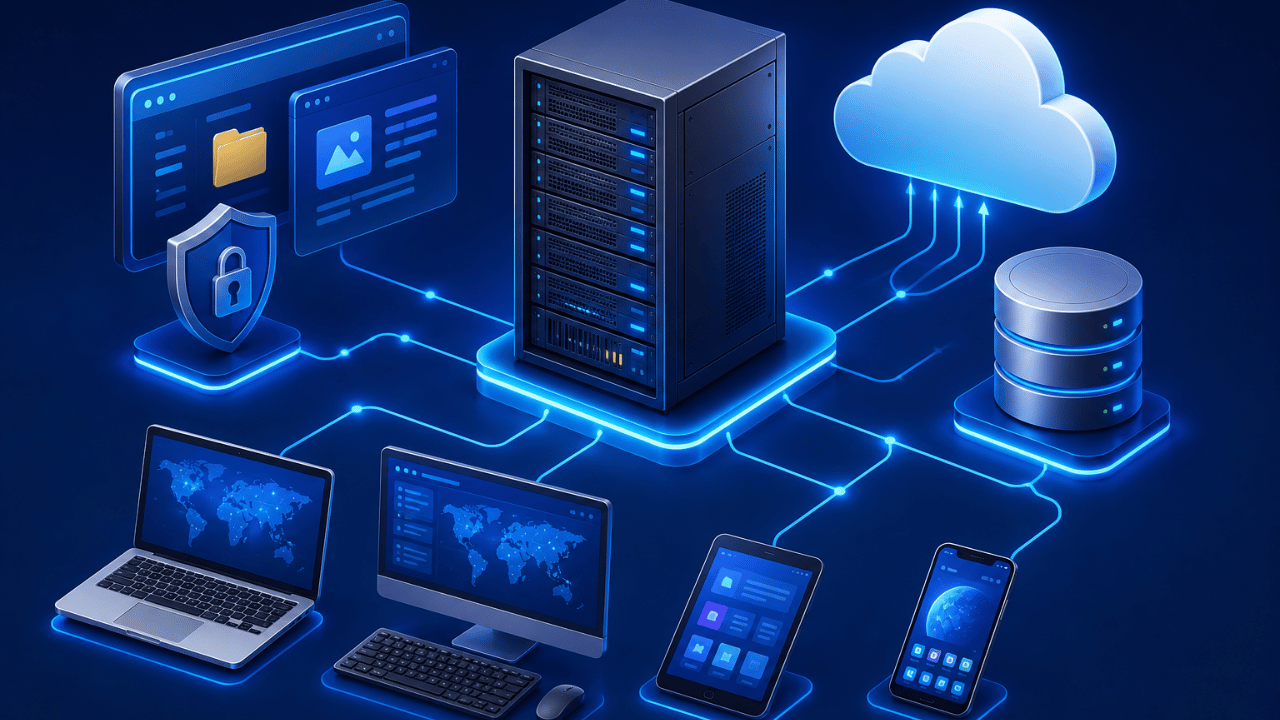
Server based computing is a model where applications, data processing, and storage all run on a central server rather than on the end user’s own device, with the user’s screen simply displaying the output over a network connection. The device on the user’s end — often called a thin client — mainly handles input (keyboard, mouse, touch) and display, while all the actual computing work happens remotely.
This is the opposite of traditional desktop computing, where your laptop or PC does all the processing locally using its own CPU, memory, and storage. In a server based model, even a low-power device can run demanding software, because it’s really just remotely viewing and controlling a session on a much more powerful server.
How Does Server-Based Computing Work?
Server based computing works by hosting applications and data on a central server, then streaming the display output to a client device while sending the user’s keyboard and mouse input back to the server in real time. The client device never actually runs the application locally — it’s essentially a window into a session that’s fully executing elsewhere.
This is typically delivered through one of a few core technologies:
- Terminal services / Remote Desktop Protocol (RDP): Users connect to a shared server and run applications in an isolated session.
- Virtual Desktop Infrastructure (VDI): Each user gets their own virtual machine on the server, offering a more personalized desktop experience.
- Application streaming: A specific app — rather than a whole desktop — is streamed to the user’s device.
Server-Based Computing vs. Traditional Desktop Computing
The core difference between server based computing and traditional desktop computing is where the processing happens: centrally on a server versus locally on the user’s own machine. This distinction affects everything from hardware costs to how easily IT teams can manage and update software.
| Factor | Server-Based Computing | Traditional Desktop Computing |
|---|---|---|
| Where processing happens | Central server | Local device |
| Hardware requirements | Low (thin clients work fine) | Higher (device must handle full workload) |
| Software updates | Centralized — update once for all users | Must be updated on every individual device |
| Offline access | Limited or none | Fully available |
| Network dependency | High — poor connection = poor performance | Low — mostly unaffected by network |
What Are the Benefits of Server-Based Computing?
The main benefit of server based computing is centralized control — IT teams can manage, secure, update, and back up applications and data from one location instead of maintaining hundreds of individual machines. This centralization creates several practical advantages for businesses.
- Lower hardware costs. Thin clients and older devices can run demanding applications, since the server does the heavy lifting.
- Simplified IT management. Software updates, security patches, and configuration changes happen once on the server, not on every device.
- Stronger data security. Since data lives on the server rather than scattered across employee devices, it’s easier to control access and prevent data loss from a lost or stolen laptop.
- Easier remote work support. Employees can access their full desktop or applications from virtually any device with an internet connection.
- Better support for legacy software. Older applications that struggle on modern operating systems can keep running reliably on a controlled server environment.
What Are the Drawbacks of Server-Based Computing?
The biggest drawback of server based computing is its dependency on network connectivity — since the client device is essentially just displaying a remote session, a slow, unstable, or disconnected network directly degrades or blocks the user experience. Other limitations include:
- Server load and scalability limits. A busy server handling many simultaneous sessions can slow down for every connected user.
- Higher upfront server costs. Businesses need to invest in capable server infrastructure to support multiple concurrent sessions.
- Limited offline functionality. Most server based setups require an active connection, making genuinely offline work difficult.
Where Is Server-Based Computing Used Today?
Server based computing is commonly used in enterprise IT environments for virtual desktops, remote work setups, call centers, and any scenario where centralized control and security outweigh the need for local processing power. It’s especially common in industries like healthcare, finance, and government, where data security and compliance requirements make centralizing sensitive information a priority.
It’s also a foundational piece of how many cloud-hosted business tools operate today, since cloud computing is, at its core, a large-scale evolution of the same server-centric principle.
Frequently Asked Questions
A common example is a company using Remote Desktop Services or VDI so employees can log into a full Windows desktop hosted on a central server from any laptop, tablet, or thin client device.
They’re closely related — cloud computing is essentially a large-scale, often multi-tenant version of server based computing, where the server infrastructure is owned and managed by a third-party provider like AWS or Azure instead of the business itself.
A thin client is a lightweight device with minimal local processing power that connects to a central server to run applications, since the server — not the client — handles the actual computing workload.
Yes, in almost all cases — because the application and data live on the server, a stable network connection is required for the client device to send input and receive the display output.
Generally yes, because sensitive data stays centralized on the server rather than being stored on individual devices, making it easier for IT teams to enforce consistent security policies and reduce the risk of data loss from a compromised endpoint.
Industries with strict data security and compliance needs — such as healthcare, finance, and government — rely heavily on server based computing to keep sensitive information centralized and tightly controlled.
Final Thoughts
Server based computing trades local processing power for centralized control, and for many businesses, that trade-off is exactly the point — easier management, stronger security, and lower hardware costs across the board. As long as the network connection holds up, it remains one of the most practical ways to run demanding software on simple, low-cost devices.
For more on how businesses are building around centralized, server-driven infrastructure, check out our related guides on The Importance of Businesses Having a Secure Cloud Solution and How Cloud Technology Is Transforming Call Center Operations.