If you’ve been searching for a free VPN for your Android phone in 2026, you already know the drill — there are hundreds of options out there, most of them making big promises, and very few of them delivering. Some are genuinely useful. Others are borderline scams dressed up in a nice app icon.
The good news: a small number of free VPNs in 2026 are both trustworthy and genuinely free — not “free trial,” not “free with hidden data selling.” This guide shows you exactly which ones to use and how to set them up in under 5 minutes.
What Does a VPN Actually Do on Android?
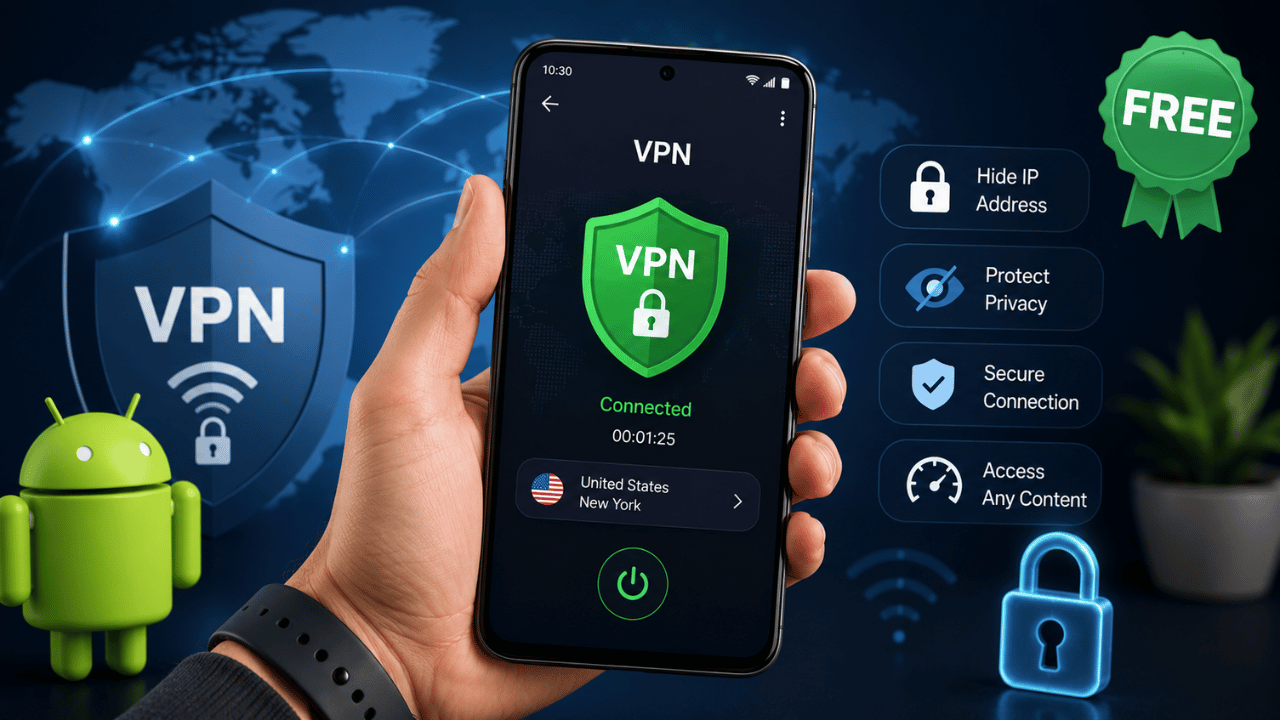
A VPN — Virtual Private Network — creates an encrypted tunnel between your phone and the internet. When you connect through a VPN, your internet traffic gets routed through a server in another location, which hides your real IP address and makes it harder for websites, advertisers, or your mobile carrier to track what you’re doing.
Real situations where this matters on Android:
- You’re on public WiFi at an airport or café and don’t want someone on the same network snooping on your traffic
- You’re traveling abroad and want to access apps or content available back home
- You want to stop your mobile carrier from tracking and selling your browsing habits
- You’re connecting to a school or work network remotely
For the full risk breakdown of public networks specifically: Is Free WiFi Safe? Risks and How to Protect Yourself
Method 1 — Use Proton VPN (Best Free Option)
Best for: Anyone who wants unlimited free use with zero data caps
Proton VPN is the only free VPN that keeps your online activity secure without ads or speed limits. In 2026, the most trustworthy free VPNs on Android are the free tiers of well-established providers — and Proton VPN’s free plan is genuinely one of the best in the business.
Proton VPN is free, open source, and trusted by activists and journalists around the world — including users in Belarus, Myanmar, and Hong Kong who depend on it for genuine privacy.
Step-by-Step Setup:
- Download Proton VPN from the Google Play Store (or F-Droid/APK on GitHub if you prefer to avoid Google Play)
- Open the app and tap “Create Account” (or sign in if you already have a Proton account)
- Once installed, log in to the application with your Proton VPN username and password
- Tap Quick Connect to automatically connect to the fastest available free server
- You’re now protected — your IP is hidden and your traffic is encrypted
What you get for free:
- Unlimited data — no caps, ever
- No ads
- No-logs policy — independently audited
- Servers in the US, Netherlands, Japan, Romania, and Poland
The catch: Free users get access to servers in only a handful of countries, and speeds can slow down during peak hours since free users share bandwidth with fewer servers.
Method 2 — Use Windscribe (Best for More Locations)
Best for: Users who want more server choices and don’t mind a data limit
Windscribe is another solid choice for Android users. You won’t get the unlimited data like Proton VPN, but it makes up for that with unlimited simultaneous device connections and solid overall speeds.
Step-by-Step Setup:
- Download Windscribe from the Google Play Store
- Create a free account (email required)
- Open the app and select a server from one of 10 free regional locations — including the US, Canada, UK, Germany, and Switzerland
- Tap to connect
What you get for free:
- 10GB of data per month
- 10 server locations to choose from
- Unlimited simultaneous device connections
The catch: The 10GB monthly data cap applies to high speeds — after you reach the cap, you can still use the free VPN, but with throttled speeds.
Method 3 — Manual VPN Setup (No App Required)
Best for: Advanced users who don’t want to install an app, or have limited storage
Many people don’t realize that Android has a built-in VPN client supporting protocols like PPTP, L2TP/IPsec, and IKEv2/IPsec. It gives you a basic layer of privacy, but you won’t get the speed, security features, or reliability that a dedicated app offers.
Step-by-Step Setup:
- Get VPN server details from a free provider that supports manual configuration (such as VPNgate.net)
- Go to your phone’s Settings
- Tap Network & Internet → VPN (or Connections → More connection settings → VPN on Samsung)
- Tap the “+” icon to add a new VPN profile
- Enter the VPN server name, type, and address you copied earlier
- Tap Save
- Tap the VPN profile you just created → enter the connection password (if any)
- Toggle the VPN on
Note: Manual setup requires Android 4.0 or later — virtually every Android device in use today qualifies.
Limitation: This method lacks a kill switch, leak protection, and the reliability of dedicated apps. Most users get a noticeably worse experience than using Proton VPN or Windscribe directly.
Method 4 — Set Up “Always-On” VPN
Once you’ve installed a VPN app, you can configure it to stay active automatically — protecting every connection without manually toggling it each time.
Steps:
- Set up your chosen VPN app (Proton VPN, Windscribe, etc.) as described above
- Go to Settings → Network & Internet → VPN
- Tap the gear icon next to your connected VPN
- Toggle “Always-on VPN”
With this enabled, your VPN automatically reconnects if your connection drops — protecting you from accidental exposure during the gap.
Free VPN Comparison Table 2026
| VPN | Data Limit | Server Locations | Ads | Audited? | Best For |
|---|---|---|---|---|---|
| Proton VPN | ✅ Unlimited | 5 countries | ❌ None | ✅ Yes | Daily use, no caps |
| Windscribe | 10GB/month | 10 countries | ❌ None | ⚠️ Pending | More location options |
| hide.me | 10GB/month | 5 countries | ❌ None | ✅ Yes | Privacy-focused users |
| Planet VPN | ✅ Unlimited | 5 countries | ❌ None | ⚠️ Not disclosed | Casual streaming |
| Hotspot Shield | 500MB/day | US only | ⚠️ Some ads | ❌ No | Light occasional use |
The Free VPN Trap — Apps to Avoid
The Google Play Store is packed with free VPN options, but plenty of them come with questionable privacy practices, intrusive ads, or worse. Some are genuinely useful. Others are borderline scams dressed up in a nice app icon.
Red flags that a “free” VPN is actually harvesting your data:
- No published privacy policy or no-logs claim
- Requires excessive permissions (contacts, SMS, camera access) unrelated to VPN function
- No company information or based in a jurisdiction with no privacy laws
- Reviews mentioning excessive ads, malware, or sudden disconnections
- “Unlimited everything for free forever” with no business model explanation — if it’s free and unlimited with no catch, ask how they make money
The honest truth: A free VPN won’t replace a paid subscription if you’re a heavy user or need specific features like streaming access. But for basic privacy and public WiFi protection, the reputable free options above are genuinely sufficient.
What a VPN Does NOT Protect You From
This is important: a VPN encrypts your traffic, which does protect you on public WiFi from certain attacks like man-in-the-middle interception. But a VPN is not antivirus software — it won’t protect you from downloading malware, clicking phishing links, or other threats that don’t rely on network snooping.
A VPN protects against:
- ✅ ISP tracking your browsing
- ✅ Man-in-the-middle attacks on public WiFi
- ✅ Geographic content restrictions
- ✅ Basic IP-based tracking
A VPN does NOT protect against:
- ❌ Malware you download
- ❌ Phishing emails or fake login pages
- ❌ Weak or reused passwords
- ❌ Apps with excessive permissions already on your device
For complete device protection beyond VPN: Best Antivirus Software 2026 – Which One Actually Works?
When You Should Upgrade to a Paid VPN
Free VPNs are genuinely useful for casual privacy and public WiFi protection — but certain use cases need a paid plan:
| Need | Why Free Won’t Work |
|---|---|
| Streaming Netflix/Disney+ from abroad | Free tiers rarely unblock streaming reliably |
| Heavy daily data use | 10GB/month caps run out fast |
| Multiple device connections | Most free plans limit to 1 device |
| Maximum speed for gaming/downloads | Free servers are shared and slower |
| Specific country server needed | Free plans offer 5-10 locations max |
If you fall into any of these categories, a paid plan from NordVPN, ExpressVPN, or Proton VPN Plus is worth the investment.
Frequently Asked Questions
Proton VPN is widely considered the best free VPN for Android — it’s the only major option with no data cap, no ads, and an independently audited no-logs policy. Windscribe is a strong second choice if you need more server location options, with a 10GB/month limit.
Yes. Android has a built-in VPN client under Settings → Network & Internet → VPN that supports manual configuration with protocols like IKEv2/IPsec. However, this method lacks the speed, kill switch, and leak protection that dedicated VPN apps provide.
Only from established, audited providers like Proton VPN or Windscribe. Many lesser-known free VPN apps on the Play Store collect and sell user data, have security loopholes, or aren’t fast enough to be useful — completely defeating the purpose of using a VPN for privacy.
Yes, partially. A VPN encrypts your traffic, which protects against man-in-the-middle interception on public WiFi. However, it won’t protect you from malware, phishing, or other threats that don’t rely on network-level snooping — you still need good security habits and antivirus protection.
Providers like Proton VPN sustain unlimited free access through their paid Plus subscriptions cross-subsidizing the free tier. Others, like Windscribe, cap free data at 10GB/month to encourage upgrades while still offering genuine value at no cost.
Conclusion
Using a VPN on Android for free in 2026 is genuinely possible without compromising your security — as long as you choose the right provider. Proton VPN remains the gold standard for unlimited, trustworthy free access, while Windscribe offers more flexibility if you don’t mind a monthly data cap.
Quick start: Download Proton VPN from the Play Store, create a free account, tap Quick Connect — you’re protected in under 2 minutes.
Avoid random unverified “free VPN” apps promising unlimited everything with no catch. If it sounds too good to be true and you can’t figure out how they make money, your data is probably the product.