With 5.5 billion malware attacks detected in 2024 alone, one question matters more than ever: does your antivirus actually work?
After reviewing results from independent labs AV-TEST and AV-Comparatives, plus hands-on testing data from major security publications, here’s the honest answer on which antivirus programs actually protect you in 2026 — and which ones are just marketing.
Quick Verdict — Best Antivirus by Category
| Category | Winner |
|---|---|
| 🏆 Best Overall | Bitdefender Total Security |
| 🔒 Best All-in-One | Norton 360 Deluxe |
| 💰 Best Value | Bitdefender Antivirus Plus |
| 🆓 Best Free | Avast Free / AVG Free |
| 📱 Best for Android | Bitdefender Mobile Security |
| 🍎 Best for Mac | Bitdefender Antivirus for Mac |
| 👨👩👧 Best for Families | McAfee Total Protection |
| 🎮 Best for Gamers | Bitdefender Total Security |
| 🔬 Best for Advanced Users | ESET Smart Security |
| 🪶 Most Lightweight | Webroot SecureAnywhere |
Do You Actually Need Antivirus in 2026?
Short answer: Yes — but the threat landscape has changed.
Modern threats go far beyond traditional viruses. In 2026, the biggest risks are ransomware, phishing, spyware, and AI-powered malware — many of which Windows Defender alone struggles to catch in real-world scenarios.
According to Gartner Peer Insights, 62% of home users now prefer an all-in-one package (VPN + antivirus + password manager) over standalone antivirus software. The value has shifted from just catching viruses to comprehensive digital protection.
Who definitely needs a third-party antivirus:
- Windows users who browse freely
- Anyone who downloads files regularly
- Online shoppers and banking users
- Small business owners
- Families with children online
Who might be okay with Windows Defender:
- Extremely cautious users who only visit trusted sites
- Tech-savvy users who understand phishing
- Users who already have comprehensive security habits
For most people — antivirus is worth it.
How We Evaluated These Antivirus Programs
Rankings are based on the latest results from three independent testing labs:
- AV-TEST (Germany) — Tests protection, performance, and usability on a 1-6 scale
- AV-Comparatives (Austria) — Real-world protection tests against live malware
- SE Labs (UK) — Tests against targeted attacks and exploits
Plus hands-on testing data from TechRadar, PCMag, and security.org’s 3-month evaluation of 40+ antivirus programs.
1. Bitdefender Total Security — Best Overall
Rating: 4.9/5 ⭐⭐⭐⭐⭐
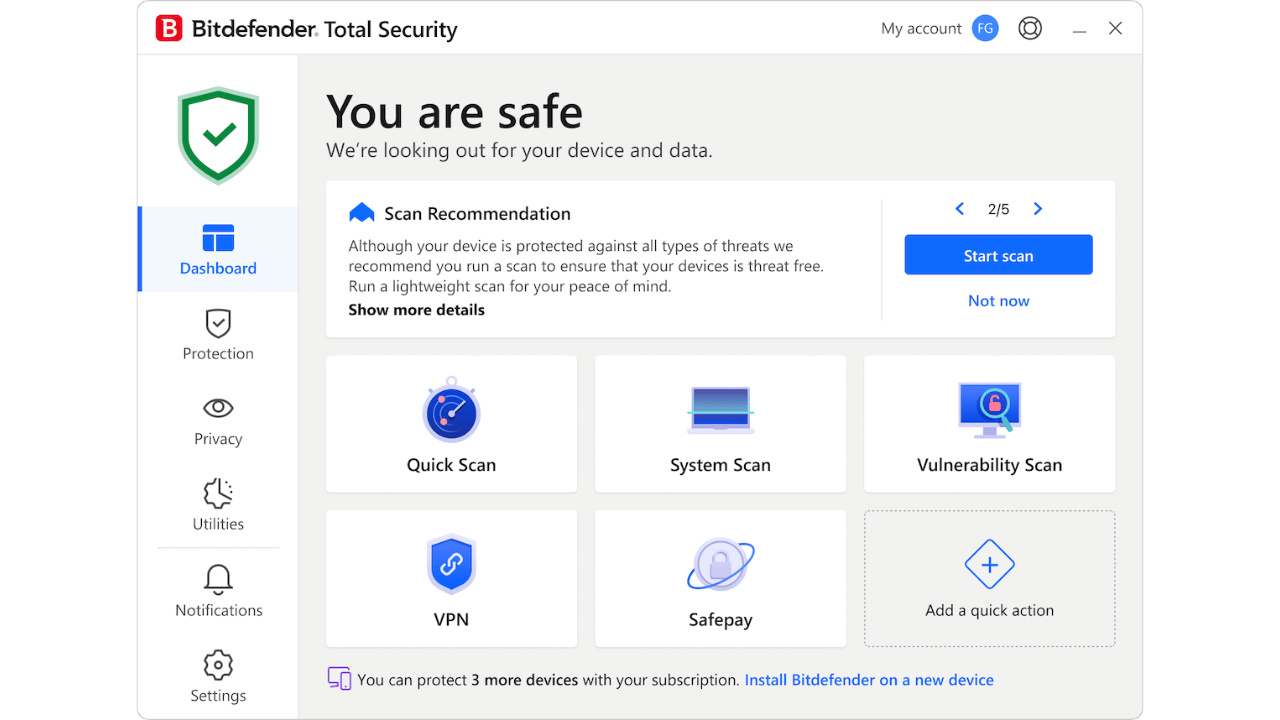
Multiple independent experts agree: Bitdefender is the best antivirus software in 2026. TechRadar, AV-TEST, and AV-Comparatives consistently rank it at the top — and for good reason.
Bitdefender Antivirus Plus leads with the highest real-time detection rate (80%) and full scan detection (89.33%), backed by top independent lab scores.
Key features:
- Multi-layered ransomware protection
- Safepay — secure browser for banking and shopping
- VPN included (200MB/day free, unlimited with premium)
- Anti-phishing and anti-fraud protection
- Gaming and streaming mode (pauses scans)
- Webcam and microphone protection
- Parental controls
AV-TEST Scores (Latest):
- Protection: 6/6 ✅
- Performance: 6/6 ✅
- Usability: 6/6 ✅
Pricing:
| Plan | Devices | Price/Year |
|---|---|---|
| Antivirus Plus | 3 | ~$30 |
| Internet Security | 3 | ~$40 |
| Total Security | 5 | ~$45 |
| Premium Security | 10 | ~$90 |
30-day free trial available.
Best for: Most Windows users who want the best protection without thinking about it.
2. Norton 360 Deluxe — Best All-in-One

Rating: 4.8/5 ⭐⭐⭐⭐⭐
Norton has the best anti-malware protection, excellent security features, and a great price, and stopped all 1,200 malware attacks in our test — 100% malware protection rate.
Norton 360 Deluxe is the best all-in-one security suite — packing antivirus, VPN, password manager, parental controls, dark web monitoring, and 50GB cloud backup into one subscription.
Key features:
- 100% malware detection rate in independent tests
- Unlimited VPN (included — huge value)
- 50GB cloud backup for PC
- Dark Web Monitoring — alerts if your info is leaked
- Password Manager included
- Smart Firewall
- Parental controls
- Identity theft protection (US only)
Pricing:
| Plan | Devices | Price/Year |
|---|---|---|
| Norton Antivirus Plus | 1 PC | ~$30 |
| Norton 360 Standard | 1 | ~$40 |
| Norton 360 Deluxe | 5 | ~$50 |
| Norton 360 Premium | 10 | ~$75 |
Best for: Users who want the most complete all-in-one security package — especially those who also need a VPN and password manager.
3. McAfee Total Protection — Best for Families

Rating: 4.6/5 ⭐⭐⭐⭐½
For a family of four with smartphones and laptops (8–10 devices), Bitdefender Total Security for 10 devices or Kaspersky Premium for 10 devices offer the best value. For 15 or more devices (blended families, students living in shared housing), McAfee Total Protection Unlimited remains unbeatable.
McAfee’s biggest advantage is unlimited device coverage. One subscription protects every device in your household — phones, tablets, laptops, desktops.
Key features:
- Unlimited devices on one plan
- Excellent full-scan detection rate (92.67%)
- VPN included (unlimited)
- Identity monitoring
- Password manager
- Safe browsing protection
- Parental controls (basic)
- File shredder
Pricing:
| Plan | Devices | Price/Year |
|---|---|---|
| Basic | 1 | ~$30 |
| Essential | 5 | ~$40 |
| Premium | Unlimited | ~$55 |
| Ultimate | Unlimited + ID theft | ~$80 |
Best for: Families with many devices. One plan covers everyone.
4. ESET Smart Security Premium — Best for Advanced Users
Rating: 4.6/5 ⭐⭐⭐⭐½
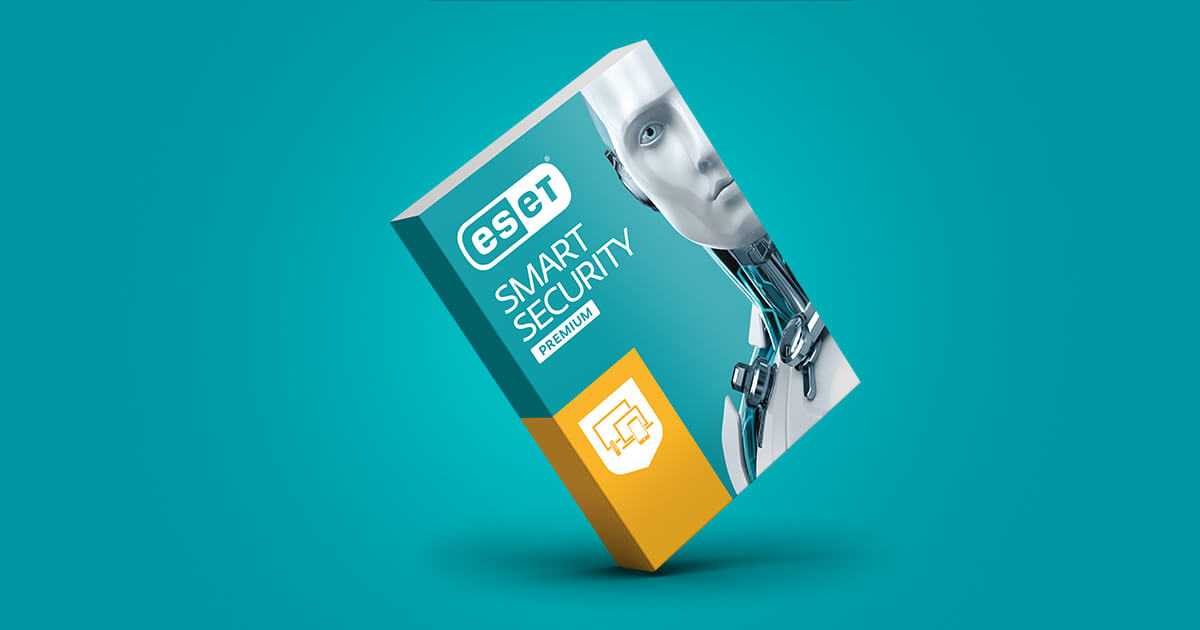
ESET is the choice of IT professionals and security-conscious power users. It offers deep customization, low system impact, and consistently excellent lab scores.
Key features:
- HIPS (Host-based Intrusion Prevention System)
- Banking and payment protection
- Anti-theft (laptop tracking)
- Password manager
- Parental controls
- Network inspector
- Highly customizable — granular control over settings
- Very low system impact
AV-TEST Scores: Protection 5.5/6, Performance 6/6, Usability 6/6
Pricing:
| Plan | Devices | Price/Year |
|---|---|---|
| NOD32 Antivirus | 1 | ~$40 |
| Internet Security | 1 | ~$50 |
| Smart Security Premium | 1 | ~$60 |
Best for: Tech-savvy users who want maximum control over their security settings.
5. Avast Free Antivirus — Best Free Option
Rating: 4.3/5 ⭐⭐⭐⭐
For users who genuinely can’t pay for antivirus, Avast Free is the best free option available in 2026. It’s not as comprehensive as paid options, but it provides solid basic protection.
Key features (free):
- Real-time malware scanning
- Wi-Fi network scanner
- Password manager (basic)
- Web shield — blocks malicious websites
- Email shield
- Behavior shield — detects suspicious activity
What’s missing from the free version:
- No VPN
- No ransomware protection
- No firewall
- No dark web monitoring
- Ads and upgrade prompts
AV-Comparatives Score: 100% in real-world protection tests.
Best for: Budget-conscious users who need basic protection.
6. Webroot SecureAnywhere — Most Lightweight

Rating: 4.2/5 ⭐⭐⭐⭐
If your PC is older or slower, Webroot is the answer. It’s cloud-based — meaning it uses almost no local resources and won’t slow down your computer.
Key features:
- Tiny install size — under 5MB
- Cloud-based scanning — minimal CPU/RAM usage
- Fast scans — under 20 seconds
- Real-time phishing protection
- Identity shield
Limitation: Because it’s cloud-based, it needs internet connectivity to function fully. Also scores lower than Bitdefender and Norton in offline protection tests.
Best for: Older PCs, low-resource devices, or users who find other antivirus programs slow their computer.
Antivirus Comparison Table 2026
| Antivirus | Detection Rate | VPN | Password Manager | Free Plan | Starting Price |
|---|---|---|---|---|---|
| Bitdefender | 99.9% | ✅ (limited free) | ✅ | ✅ Trial | ~$30/yr |
| Norton 360 | 100% | ✅ Unlimited | ✅ | ❌ | ~$30/yr |
| McAfee | 99.7% | ✅ Unlimited | ✅ | ❌ | ~$30/yr |
| ESET | 99.8% | ❌ | ✅ | ❌ | ~$40/yr |
| Avast | 99.4% | ✅ (paid) | ✅ (basic) | ✅ | Free |
| AVG | 99.4% | ✅ (paid) | ❌ | ✅ | Free |
| Webroot | 98.5% | ❌ | ✅ | ❌ | ~$30/yr |
| Malwarebytes | 98.2% | ✅ (paid) | ❌ | ✅ (limited) | ~$45/yr |
What About Kaspersky?
You may have noticed Kaspersky is missing from this list.
Kaspersky was banned by the US government on September 29th, 2024. This ban was a result of raised concerns about its data integrity and ties to Russian authorities. While Kaspersky produces technically excellent antivirus software, it cannot be recommended for users in the US and many other countries due to these security concerns.
Free vs Paid Antivirus — Is Paying Worth It?
What free antivirus gives you:
- Basic malware scanning ✅
- Real-time protection (limited) ✅
- Web protection ✅
What you miss with free:
- Ransomware protection ❌
- VPN ❌
- Dark web monitoring ❌
- Password manager ❌
- Firewall ❌
- Customer support ❌
- Identity theft protection ❌
For most users — paid antivirus at $30-50/year is absolutely worth it. That’s less than $5/month for comprehensive protection.
Does Windows Defender Replace Antivirus?
Windows Defender (Microsoft Defender Antivirus) has improved dramatically and provides decent basic protection. But in 2026, it still falls short of the best paid options in several areas:
| Feature | Windows Defender | Bitdefender/Norton |
|---|---|---|
| Malware detection | Good | Excellent |
| Ransomware protection | Basic | Advanced |
| Phishing protection | Good | Excellent |
| VPN | ❌ | ✅ |
| Dark web monitoring | ❌ | ✅ |
| Password manager | ❌ | ✅ |
| Performance impact | Low | Low-Medium |
Verdict: Windows Defender is acceptable for very cautious users. For everyone else — a paid antivirus adds meaningful protection, especially against ransomware and phishing.
How to Choose the Right Antivirus for You
Count your devices
- 1-3 devices → Bitdefender Plus or Norton Standard
- 4-10 devices → Bitdefender Total Security or Norton 360 Deluxe
- 10+ devices → McAfee Total Protection Unlimited
Consider what else you need
- Need a VPN? → Norton 360 (unlimited VPN included)
- Need parental controls? → Norton or McAfee
- Need maximum performance? → Bitdefender (gaming mode)
- Older/slow PC? → Webroot
Check for deals All major antivirus providers offer 50-70% off for the first year. Always check the renewal price — it’s often 2-3x higher than the intro price.
Frequently Asked Questions
Bitdefender Total Security is the best overall antivirus in 2026 based on independent lab testing from AV-TEST and AV-Comparatives. Norton 360 Deluxe is the best all-in-one package, especially for users who want an unlimited VPN included.
Free antivirus like Avast or AVG provides solid basic protection but misses important features like ransomware protection, VPN, and dark web monitoring. For most users, paid antivirus at $30-50/year is worth the investment.
Windows Defender provides decent basic protection, but independent tests show paid antivirus programs outperform it in ransomware protection and phishing detection. Most security experts recommend a third-party antivirus for additional protection.
Kaspersky was banned by the US government in 2024 due to concerns about its ties to Russian authorities. It is not recommended for users in the US and many other countries, regardless of its technical performance.
Bitdefender Mobile Security and Norton Mobile Security are the top antivirus apps for Android in 2026. Both offer real-time scanning, anti-theft features, and app scanning with minimal battery impact.
Good antivirus software costs $30-50/year for the first year (watch for renewal prices which are often higher). All-in-one packages like Norton 360 Deluxe (~$50/year) offer exceptional value when you factor in the included unlimited VPN and password manager.
Final Verdict
| User Type | Best Choice |
|---|---|
| Most Windows users | Bitdefender Total Security |
| Want all-in-one (VPN + antivirus) | Norton 360 Deluxe |
| Large family, many devices | McAfee Total Protection |
| Tech-savvy/advanced users | ESET Smart Security |
| Tight budget | Avast Free |
| Slow/older PC | Webroot SecureAnywhere |
For 90% of home users, Bitdefender Total Security or Norton 360 Deluxe are the go-to choices. Bitdefender excels in performance and multi-device support, while Norton stands out for its comprehensive feature set including unlimited VPN.
Start with a free trial — both Bitdefender and Norton offer 30-day free trials so you can test before committing.