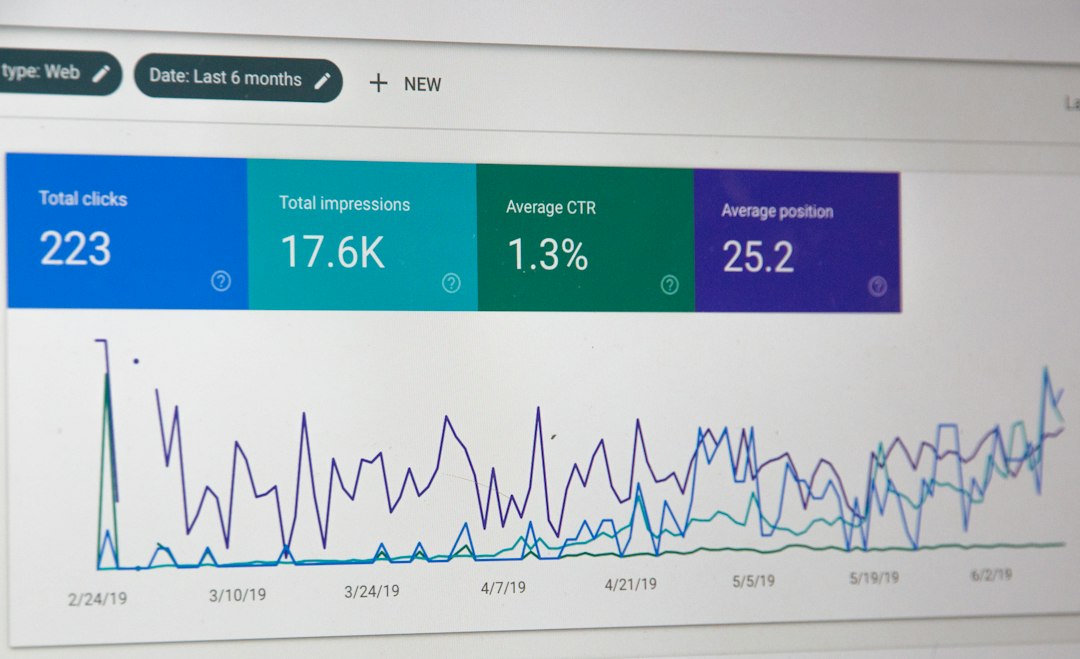
Yes, Google PageSpeed Insights is accurate for what it measures, but it is not a perfect prediction of every visitor’s experience. The score comes from a simulated lab test, so it changes between runs, while the field data comes from real Chrome users. Read both together. You can check your own page with our free website speed test.
Key takeaways
- PageSpeed Insights shows two kinds of data: lab data from a simulated test and field data from real users.
- Lab scores vary a little between runs. Field data is more stable but is only available for pages with enough traffic.
- Field data is based on the previous 28 days and the 75th percentile of visits (Google).
- Use the lab score to find problems and the field data to judge real impact.
What does PageSpeed Insights measure?
Google PageSpeed Insights measures how fast a page loads and becomes usable, on mobile and on desktop. It runs a Lighthouse test and, when enough data exists, adds real-user data from the Chrome User Experience Report. The result is a performance score from 0 to 100 and a list of issues to fix.
What is the difference between lab data and field data?
| Type | Lab data | Field data |
|---|---|---|
| Source | A simulated Lighthouse test | Real Chrome users |
| Period | One test run | Previous 28 days |
| Stability | Changes between runs | More stable |
| Availability | Any public page | Only pages with enough traffic |
| Best for | Finding and fixing problems | Judging real user experience |
The performance score at the top of the report comes from lab data. The Core Web Vitals assessment comes from field data. A page can have a green score and still fail Core Web Vitals in the field, or the other way around.
Why does my PageSpeed score change every time?
Your score changes because the lab test runs in a live environment where server response, network conditions and background tasks vary. Small changes of a few points are normal. Run the test two or three times and judge the overall pattern instead of a single number.
Is PageSpeed Insights the same as Lighthouse?
No, but they use the same engine. PageSpeed Insights runs Lighthouse on Google’s servers and adds field data from real users. Lighthouse in Chrome DevTools runs on your own computer, so its results depend on your device, your connection and any browser extensions. That is why the two can show different scores for the same page.
Why is my PageSpeed score different from other tools?
Other tools test from different locations, with different devices and network settings, so their scores differ. Compare results from the same tool over time instead of comparing scores between tools. If you are weighing options, see our list of GTmetrix alternatives.
Why is my field data missing?
Field data is missing when a page or site does not have enough real-user visits for Google to report it. In that case PageSpeed Insights shows only the lab results. Rely on the lab test to find issues and check again as your traffic grows.
How do you read PageSpeed Insights results correctly?
- Check the field data first, if it is shown, and see whether Core Web Vitals pass.
- Look at the mobile results before desktop.
- Note the biggest issues listed under opportunities and diagnostics.
- Fix one issue at a time and re-test.
- Compare results across several runs, not a single score.
For score ranges, see our guide on what a good PageSpeed score is.
Frequently asked questions
Is a PageSpeed Insights score a ranking factor?
The score itself is not a ranking factor. Google uses Core Web Vitals as part of page experience signals, but relevance and content quality usually matter more. Use the score as a diagnostic tool.
Which is more accurate, lab data or field data?
They measure different things. Field data shows what real visitors experienced, while lab data gives a repeatable test for debugging. Both are accurate for their purpose.
Why is my mobile score lower than desktop?
The mobile test simulates a slower device and network. Read our guide on why your mobile PageSpeed score is lower.
Can I trust a single test result?
No. Run the test more than once and look at the overall pattern.
Does PageSpeed Insights test my whole site?
No. It tests one URL at a time. The field data can include a site-wide summary, but each page needs its own test.
Conclusion
Google PageSpeed Insights is accurate when you read it correctly: use the lab score to find problems, use field data to judge real impact and test more than once. Run a fresh check with our free website speed test, then follow our guide on how to improve website speed.