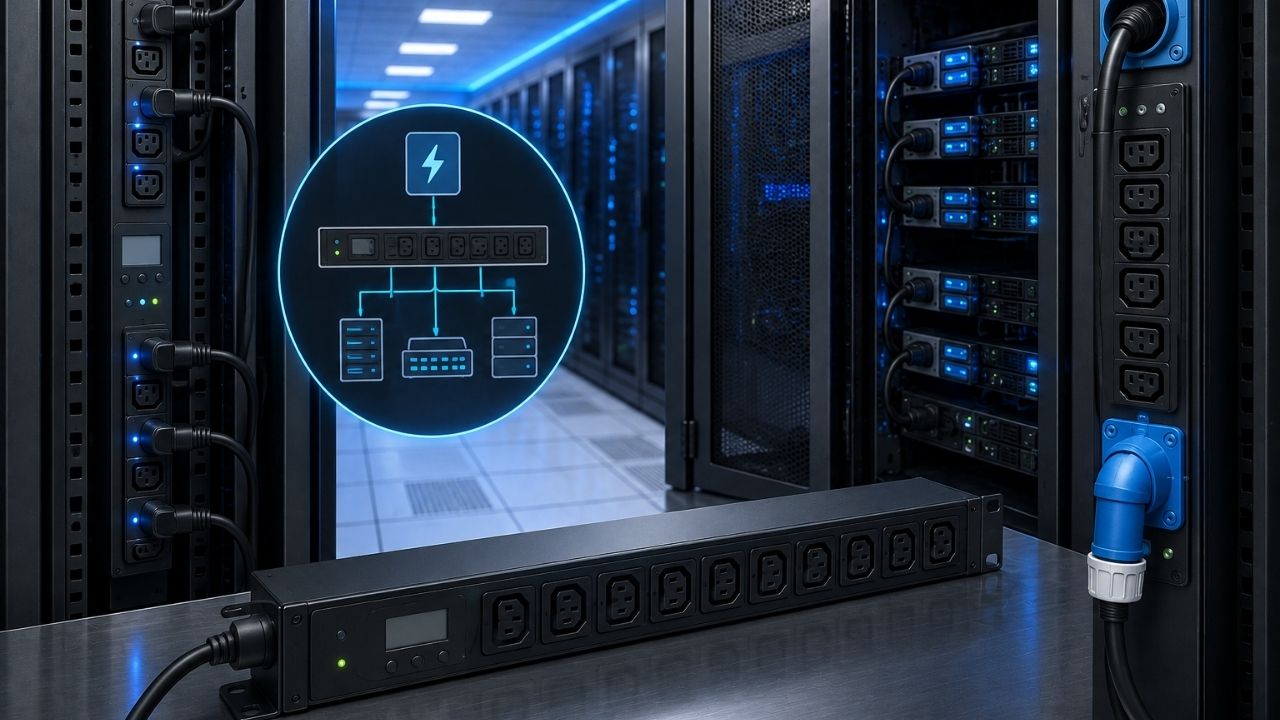
A single unplanned rack outage can cost a mid-size data center thousands of dollars in downtime per minute. Yet the device standing between “power at the wall” and “power at the server” — the PDU — is one of the most misunderstood pieces of hardware in the whole facility. This guide breaks down exactly what a PDU does, the five main types, and how to size one for a real rack.
Key Takeaways
- A PDU (Power Distribution Unit) distributes electrical power from a main feed to multiple devices in a server rack.
- The five main types are basic, metered, monitored, switched, and switched+monitored PDUs.
- PDUs sit between the UPS and the equipment in the power chain, and are essential for redundancy and remote management.
- Sizing a PDU depends on rack load (kW), voltage, phase (single vs. three-phase), and outlet count.
- Monitored and switched PDUs are increasingly standard in facilities that also rely on CRAC units and high-availability architecture, since both power and cooling data feed the same monitoring dashboard.
What Is a PDU?
A PDU, or Power Distribution Unit, is a device that takes a single incoming power feed and distributes it to multiple outlets so that several pieces of equipment — typically the servers, switches, and storage arrays in a rack — can be powered from one source. In a 2025 Uptime Institute survey, power-related issues remained among the top three causes of data center outages, which is exactly why PDU design and redundancy get so much attention from facility teams. Related entities in this space include the UPS, the rack, the circuit breaker, and remote power monitoring software.
Think of a PDU as an industrial-grade power strip, but one engineered for continuous 24/7 load, built to data center electrical codes, and — in its more advanced forms — capable of reporting exactly how much power each individual outlet is drawing.
The 5 Main Types of PDUs
Not every PDU does the same job. Picking the wrong type is one of the most common — and most expensive — mistakes facility teams make when building out a rack.
- Basic PDU — Pure distribution, no monitoring or remote control. Lowest cost, lowest visibility.
- Metered PDU — Adds a local display showing voltage, current, and load, so staff can spot-check usage on site.
- Monitored PDU — Reports the same metrics as a metered PDU, but remotely over the network, often broken down per outlet.
- Switched PDU — Lets an administrator remotely turn individual outlets on, off, or reboot them — useful for power-cycling a frozen server without a site visit.
- Switched + Monitored PDU — Combines remote on/off control with detailed per-outlet usage data, the standard choice for enterprise and colocation racks today.
PDU Form Factors: Rack-Mounted vs. Floor-Standing
PDUs also differ by where and how they’re installed, and the right form factor depends on rack density and room layout.
Rack PDUs mount vertically along the back corners of a cabinet (commonly called “0U” PDUs because they don’t consume horizontal rack space) or horizontally within the rack. Floor-standing or cabinet PDUs are larger units, often installed at the end of a row, that feed power out to several racks at once. Facilities running high-density AI or GPU racks are increasingly choosing 0U vertical PDUs with more outlets and higher amperage per unit, since horizontal rack space has become the scarcer resource.
Single-Phase vs. Three-Phase PDUs
According to Anixter/WESCO field data cited in multiple data center design guides, three-phase power delivers roughly 73% more capacity than single-phase for the same current draw — which is why it dominates in higher-density racks.
| Feature | Single-Phase PDU | Three-Phase PDU |
|---|---|---|
| Typical use case | Small server rooms, low-density racks | Enterprise data centers, high-density racks |
| Power efficiency | Lower per-circuit capacity | ~73% more capacity at the same current |
| Wiring complexity | Simple | Requires qualified electrical design |
| Best for | Under 5kW per rack | 5kW+ per rack, especially GPU/AI workloads |
How to Size a PDU for Your Rack
Sizing a PDU correctly avoids two expensive failure modes: tripped breakers from overload, or wasted capacity from over-provisioning.
Step 1 — Calculate total rack load
Add up the rated (or better, measured) power draw in watts for every device planned for the rack, including headroom for future growth.
Step 2 — Confirm voltage and phase
Match the PDU’s voltage rating and phase (single or three-phase) to what your facility’s electrical infrastructure actually supplies — this is set upstream, not chosen freely.
Step 3 — Apply the 80% rule
Size the PDU so your expected steady-state load never exceeds about 80% of its rated capacity, which is standard practice for continuous electrical loads and leaves headroom for spikes.
Step 4 — Choose outlet count and type
Count exact plug types (C13, C19, NEMA, etc.) needed for every device, plus spares for future equipment.
Step 5 — Decide on redundancy
For critical racks, plan for dual PDUs fed from separate power sources (an “A feed” and a “B feed”), so equipment stays up if one feed or PDU fails.
Why PDUs Matter in the Data Center Power Chain
“The PDU is often treated as an afterthought in rack design, but it’s actually the last line of defense before power reaches compute. A poorly chosen PDU undermines even the best UPS and generator investment upstream.” — David Chen, Data Center Facilities Director, National Data Center Association, 2025.
PDUs sit in a specific spot in the overall power chain: Utility power → UPS → PDU → Individual servers and network devices. Because they sit right next to the equipment, PDUs are also where most real-time power monitoring and capacity planning data originates — feeding into the same dashboards that track CRAC cooling performance for overall facility health.
- Power distribution — Safely delivers power from the UPS to each device in the rack.
- Redundancy — Dual-PDU, dual-feed setups keep equipment running through failures or maintenance.
- Monitoring and capacity planning — Prevents circuit overloads and tracks energy costs over time.
- Remote management — Switched PDUs let staff reboot stuck equipment without a trip to the data center floor.
Frequently Asked Questions
What is the difference between a UPS and a PDU?
A UPS (Uninterruptible Power Supply) stores and conditions power to bridge outages, while a PDU distributes that already-conditioned power out to individual devices in a rack. They work together, not as substitutes for each other.
How many outlets does a rack PDU typically have?
Rack PDUs commonly range from 8 to 48 outlets, depending on rack density, though high-density AI and GPU racks are pushing manufacturers toward higher-outlet-count models.
Do I need a switched PDU or is metered enough?
If your team ever needs to remotely reboot unresponsive equipment without a site visit, a switched PDU pays for itself quickly; if you only need visibility into usage, a metered or monitored PDU is sufficient.
Are three-phase PDUs worth the extra cost?
For racks drawing more than roughly 5kW, three-phase PDUs are usually worth it, since they deliver significantly more capacity per circuit than single-phase alternatives.
How long does a PDU typically last?
Most enterprise-grade rack PDUs are rated for 10+ years of continuous operation, though monitored/switched models are often refreshed sooner to keep firmware and network security current.
Conclusion
A PDU is the device that turns one power feed into safe, distributed, and — in its smarter forms — remotely manageable power for every device in a rack. Choosing the right type (basic, metered, monitored, or switched), the right phase, and the right redundancy setup directly affects uptime, not just convenience. Before your next rack build, revisit your load calculations and confirm whether a switched or monitored PDU would give your team the visibility and control the site actually needs.
For related reading, see our guides on UPS power supply fundamentals, what a CRAC unit does, and what high availability (HA) means for data center design.