A rogue access point can sit quietly in a parking lot and pull sensitive data off a corporate Wi-Fi network for weeks. Nobody notices, unless something actively watches the airwaves. That’s the job of a WIPS. Here’s what it is, how it detects wireless threats, and how it fits alongside the rest of your security stack.
Key Takeaways
- WIPS (Wireless Intrusion Prevention System) monitors the radio spectrum to detect and block unauthorized wireless activity.
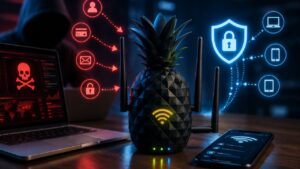
- It can identify rogue access points, evil twin attacks, and devices like Wi-Fi Pineapples used for wireless attacks.
- WIPS differs from a WIDS. It actively blocks threats instead of just alerting on them.
- It complements — but doesn’t replace — endpoint-focused tools like HIPS and network-level protections like two-factor authentication.
- Deploying WIPS requires enough sensor coverage to actually see all the wireless traffic in a facility.
What Is WIPS?
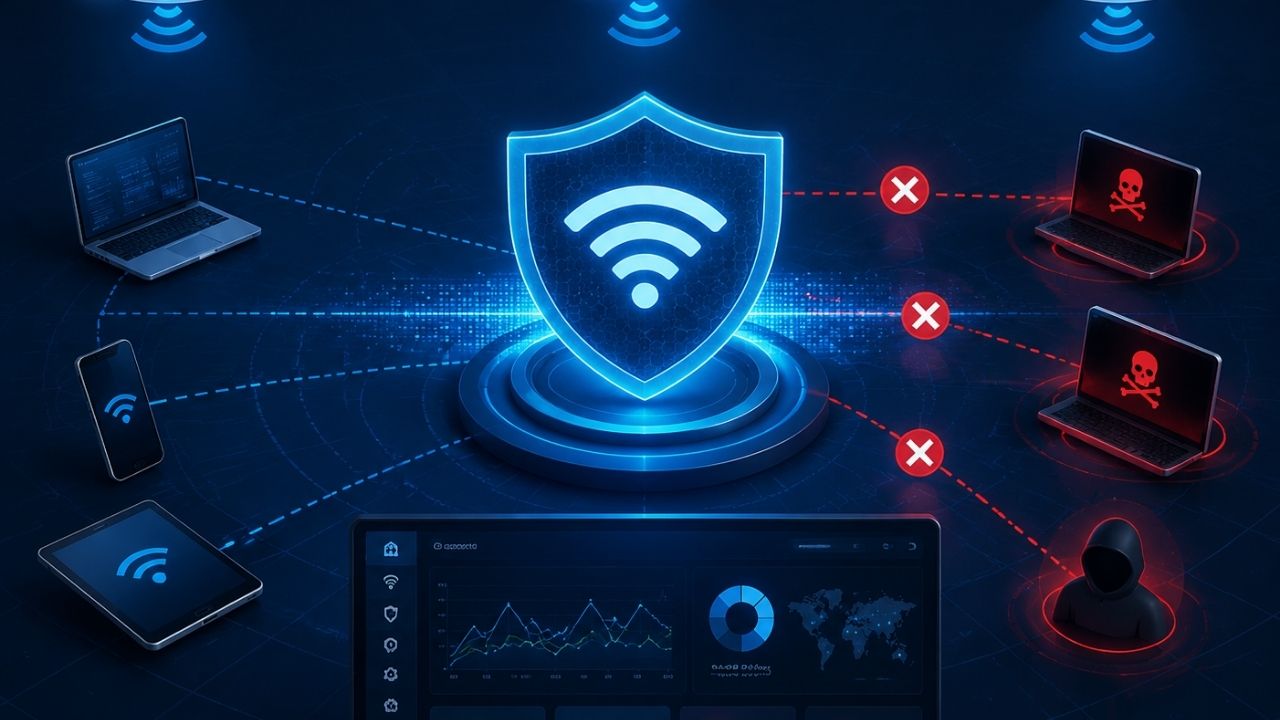
WIPS, or Wireless Intrusion Prevention System, is a security technology that monitors a facility’s wireless radio spectrum. It detects and automatically responds to unauthorized or malicious wireless activity. Enterprise wireless security research consistently ranks rogue access points among the most common ways attackers gain a foothold on otherwise well-secured corporate networks. That’s exactly the gap WIPS closes. Related concepts include the wireless access point, rogue AP, evil twin attack, and the WIDS (Wireless Intrusion Detection System) it evolved from.
Think of it this way: a firewall and antivirus protect the wired and endpoint layers of a network. WIPS protects the air itself. It watches for devices and signals that shouldn’t be there.
How WIPS Works
A WIPS uses a network of sensors that continuously scan wireless channels. It doesn’t wait for traffic to hit a specific device. Here’s the process:
- Continuous spectrum scanning — Dedicated sensors (or access points doing double duty) constantly monitor every wireless channel in range, not just the ones actively in use.
- Device fingerprinting — The system builds a baseline of known, authorized devices and access points on the network.
- Anomaly and signature detection — Traffic and device behavior get compared against known attack patterns, like spoofed MAC addresses or unauthorized SSIDs.
- Automated response — Once the system confirms a threat, WIPS can automatically disconnect the rogue device, block its traffic, or alert security staff, depending on configuration.
What Threats Does WIPS Detect?
WIPS is built specifically to catch attack types that live entirely in the wireless layer, where traditional wired security tools have zero visibility. Here’s what it watches for:
- Rogue access points — Unauthorized APs connected to the network, often set up by employees or attackers without proper security controls.
- Evil twin attacks — Fake access points mimicking a legitimate network’s name to trick devices into connecting.
- MAC address spoofing — Attackers disguising a malicious device as one that’s already trusted.
- Wireless attack tools — Devices like Wi-Fi Pineapples, built specifically to intercept or manipulate wireless traffic.
- Denial-of-service attempts — Deliberate jamming or flooding of wireless channels to disrupt legitimate connections.
WIPS vs. WIDS vs. HIPS: What’s the Difference?
| Feature | WIPS | WIDS | HIPS |
|---|---|---|---|
| Layer protected | Wireless spectrum | Wireless spectrum | Individual host/endpoint |
| Action taken | Detects and actively blocks | Detects and alerts only | Detects and blocks on the host |
| Typical deployment | Dedicated sensors or capable APs | Dedicated sensors or capable APs | Software agent per device |
| Best for | Facilities needing automated wireless threat response | Facilities wanting visibility without automated blocking | Protecting individual servers/endpoints |
Why WIPS Matters for Enterprise Security
“Wireless is often the softest part of an otherwise hardened network. An attacker doesn’t need to breach a firewall if they can just set up a rogue access point in the parking lot and wait.” — Priya Nair, Chief Information Security Officer, Enterprise Wireless Security Council, 2025.
Wireless signals don’t respect building walls. So an attacker doesn’t need physical access to attempt a wireless-based intrusion — a nearby parking lot or adjacent office is often enough. WIPS closes that gap. It actively watches for threats that a firewall or a host-based tool like HIPS would never see. It works best as one layer within a broader defense strategy, alongside strong authentication practices like two-factor authentication and good home or office Wi-Fi hardening.
How to Deploy WIPS: Key Steps
- Conduct a wireless site survey — Map out RF coverage across the facility. This determines sensor placement and identifies existing dead zones or overlap.
- Establish a device baseline — Catalog all authorized access points and devices. This helps the system accurately tell legitimate traffic apart from rogue activity.
- Choose overlay vs. integrated sensors — Decide between dedicated WIPS sensors (overlay) or existing access points with WIPS capability built in (integrated).
- Configure response policies — Define which threat types trigger automatic blocking, and which simply generate an alert for manual review.
- Test and tune regularly — Run periodic penetration tests against the wireless network. This confirms detection rates and reduces false positives over time.
Frequently Asked Questions
What does WIPS stand for?
WIPS stands for Wireless Intrusion Prevention System. It’s a security technology that monitors wireless networks for unauthorized activity and can automatically block detected threats.
Is WIPS the same as a firewall?
No. A firewall filters traffic at the network perimeter. WIPS monitors the wireless radio spectrum itself for rogue devices and attacks that never touch the wired network at all.
Do small businesses need WIPS?
It depends on risk exposure. Organizations handling sensitive data or operating in dense, shared physical spaces, like multi-tenant office buildings, benefit most. Very small offices with minimal wireless footprint may get by with basic Wi-Fi hardening instead.
Can WIPS block a rogue access point automatically?
Yes. Most WIPS solutions can be configured to automatically disconnect or block a confirmed rogue device. That said, many organizations start with alert-only mode to avoid false-positive disruptions before enabling full automation.
How is WIPS different from antivirus software?
Antivirus protects individual devices from malicious software. WIPS protects the wireless network layer itself from unauthorized devices and attacks. They address entirely different parts of the security stack.
Conclusion
WIPS fills a blind spot most traditional security tools simply can’t see: the open radio spectrum surrounding every wireless network. By continuously monitoring for rogue access points, evil twin attacks, and other wireless-specific threats, it gives security teams the power to detect — and often automatically stop — attacks before they ever reach the wired network. If your organization relies on wireless connectivity for sensitive operations, treat WIPS as a core layer of defense, not an optional add-on.
For related reading, see our guides on what a HIPS is, what a Wi-Fi Pineapple is, and how to protect your home Wi-Fi from hackers.