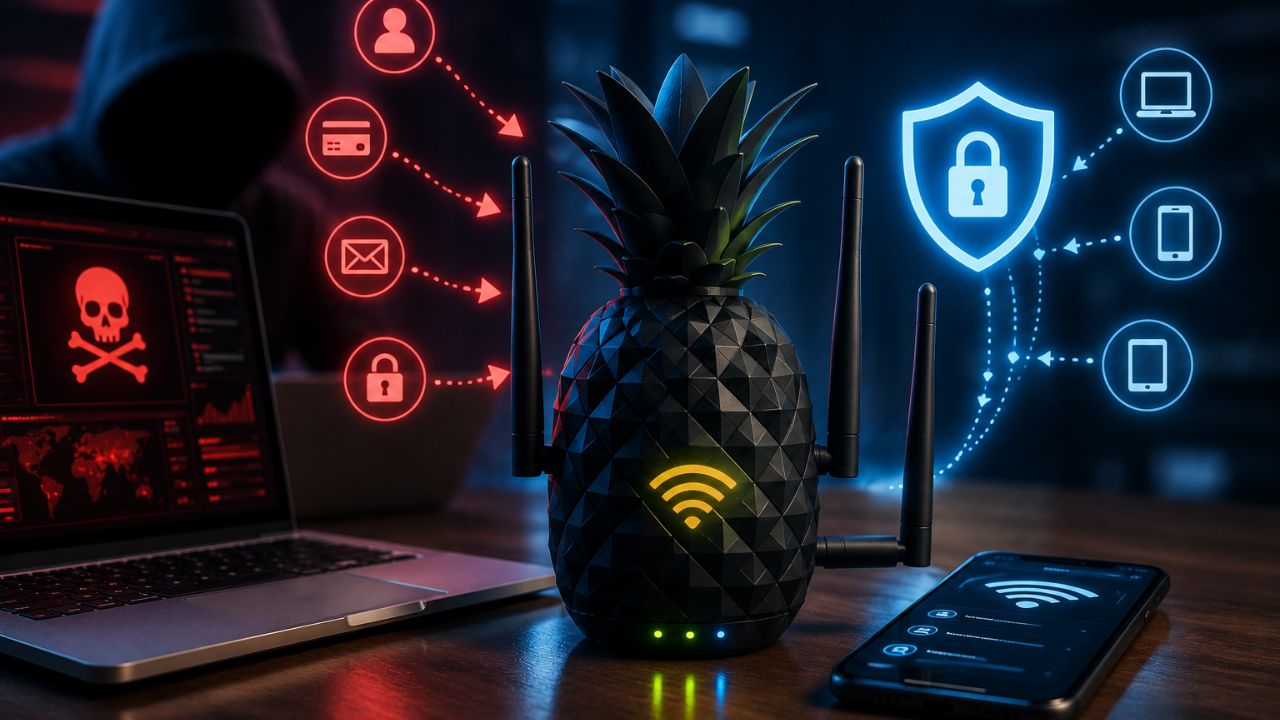
That “Free Airport Wi-Fi” network you connected to last week might not have been the airport’s at all. This guide explains what a Wi-Fi Pineapple actually is, how attackers use it to intercept traffic on public networks, and the specific steps you can take to make sure you’re never an easy target.
Key Takeaways
- A Wi-Fi Pineapple is a legitimate penetration-testing device that can also be misused to intercept traffic on public Wi-Fi networks
- It works primarily by tricking devices into auto-connecting to a fake network that mimics a trusted one your device has used before
- Once connected, an attacker can potentially view unencrypted traffic, redirect you to fake login pages, or capture credentials
- A VPN is one of the most effective defenses, since it encrypts your traffic even on a compromised network
- Turning off Wi-Fi auto-connect and “forgetting” old public networks significantly reduces your exposure
What Is a Wi-Fi Pineapple?
A Wi-Fi Pineapple is a commercially sold hardware device originally built for network security professionals to test how vulnerable a Wi-Fi network is to attack, though the same capabilities can be misused to intercept traffic from unsuspecting users on public networks. It’s designed to mimic legitimate Wi-Fi access points convincingly enough that nearby devices connect to it automatically, without the user ever realizing they’ve joined the wrong network.
Security teams use Wi-Fi Pineapples legitimately to audit corporate networks and train staff on Wi-Fi-based social engineering risks. The same device becomes a threat when used without authorization against people who never agreed to be tested.
How Do Hackers Use a Wi-Fi Pineapple?
Hackers use a Wi-Fi Pineapple by setting it up in a public location to broadcast fake Wi-Fi networks that closely mimic the names of trusted, previously used networks, exploiting the fact that most phones and laptops automatically reconnect to networks they recognize. Once a device connects to the Pineapple instead of the real network, the attacker can potentially monitor traffic passing through it.
The typical attack sequence looks like this:
- The Pineapple broadcasts multiple fake network names simultaneously, often matching common public Wi-Fi names like “Airport_Free_WiFi” or “Starbucks_Guest.”
- Nearby devices with Wi-Fi auto-connect enabled join automatically, especially if they’ve connected to a similarly named network before.
- The attacker gains a position between the victim’s device and the internet, allowing them to potentially view unencrypted traffic.
- In more advanced attacks, users may be redirected to fake login pages designed to capture usernames, passwords, or payment details.
Is Using a Wi-Fi Pineapple Illegal?
Using a Wi-Fi Pineapple is legal when it’s deployed by authorized security professionals conducting sanctioned penetration tests or research, but using it to intercept traffic from people who haven’t consented is illegal in most jurisdictions, typically falling under wiretapping or computer fraud laws. The device itself is legal to purchase and own — it’s the unauthorized use against real users that crosses into criminal territory.
How to Protect Yourself from a Wi-Fi Pineapple Attack
- Turn off Wi-Fi auto-connect on your devices. This single setting change prevents your phone or laptop from automatically joining a network just because it recognizes the name.
- Forget old public Wi-Fi networks after you’re done using them. Networks your device remembers are exactly what a Pineapple exploits to trigger automatic reconnection.
- Use a VPN on any public network. A VPN encrypts your traffic end-to-end, so even if you do connect to a malicious network, the attacker can’t easily read what you’re sending. Check out our guide on whether you really need a VPN in 2026 if you’re not sure it’s worth it.
- Verify network names directly with staff. If you’re at a café, hotel, or airport, confirm the exact network name with an employee rather than trusting the first familiar-looking option in your Wi-Fi list.
- Look for HTTPS on every site you visit. Sites using HTTPS encrypt data in transit, making it far harder for someone intercepting your connection to read what you’re sending, even on a compromised network.
- Enable two-factor authentication everywhere you can. Even if credentials are captured on a fake login page, 2FA adds a second barrier that stops most attackers from gaining full account access.
How to Tell If You’re Connected to a Fake Network
There’s no foolproof way to visually confirm a network is fake, but a few warning signs are worth watching for: an unusually weak or generic network name, a login page asking for information a legitimate public Wi-Fi login normally wouldn’t request, or a sudden loss of HTTPS padlocks on sites you know normally have them. If anything feels off, the safest move is to disconnect immediately and switch to your mobile data connection.
Frequently Asked Questions
No — Wi-Fi Pineapples are legitimately sold and used by cybersecurity professionals for authorized penetration testing and Wi-Fi security research; the same tool becomes harmful only when used without consent against real users.
A Wi-Fi Pineapple itself doesn’t hack your phone’s operating system — its main risk is intercepting network traffic once your device connects to its fake network, which can expose unencrypted data or redirect you to phishing pages.
A VPN significantly reduces the risk by encrypting your traffic so an attacker intercepting your connection can’t easily read it, though it doesn’t prevent your device from connecting to the fake network in the first place.
The safest approach is to confirm the exact network name directly with staff at the location, since attackers often create fake networks with names nearly identical to the legitimate one.
While large-scale statistics are hard to pin down, security researchers have repeatedly demonstrated how easy and inexpensive these attacks are to carry out, making public Wi-Fi interception a persistent, ongoing risk rather than a rare occurrence.
Disconnect immediately, switch to mobile data if possible, and change the passwords for any accounts you accessed while connected, prioritizing email and financial accounts first.
Final Thoughts
A Wi-Fi Pineapple isn’t inherently malicious — it’s a legitimate security tool that happens to work exactly as well for an attacker as it does for a penetration tester. The good news is that the defenses are simple and mostly free: disable auto-connect, use a VPN, and treat every public network with a healthy dose of skepticism.
For more on staying safe on public and home networks, check out our related guides on How to Protect Your Wi-Fi from Hackers at Home and Is Free Wi-Fi Safe? The Risks Explained.