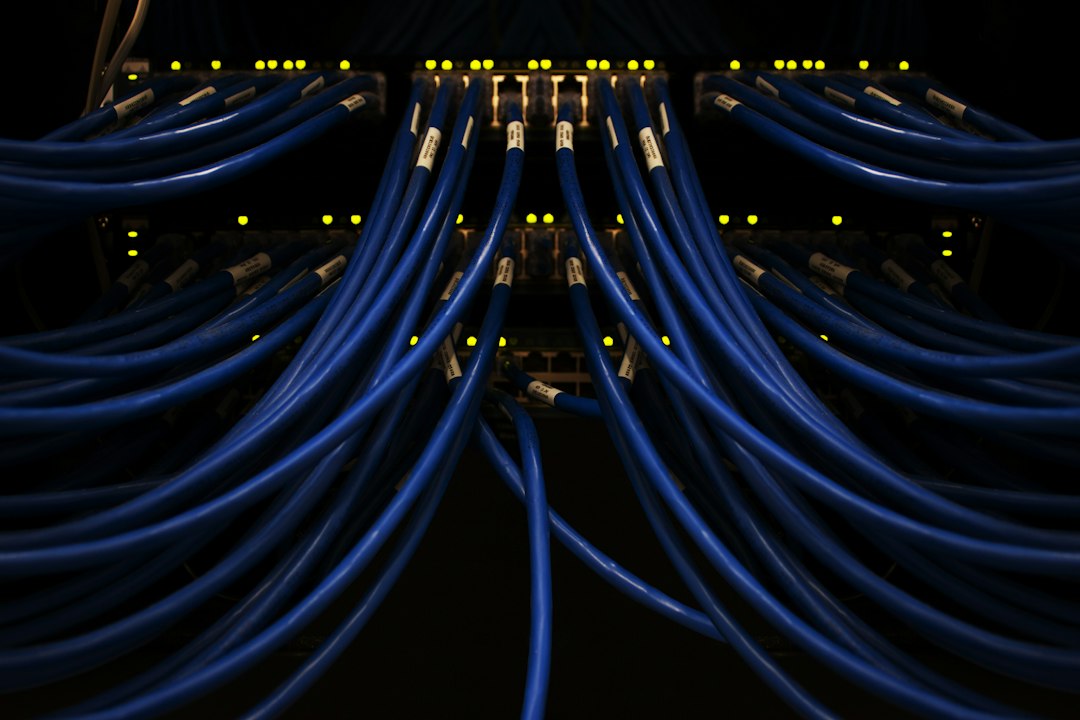
A Power over Ethernet (PoE) cable is a standard Ethernet cable that carries electrical power along with data, so devices such as IP cameras, VoIP phones and Wi-Fi access points need only one cable. The cable itself is ordinary Cat5e, Cat6 or Cat6a. The power comes from a PoE switch or injector that follows the IEEE 802.3af, 802.3at or 802.3bt standard.
Key takeaways
- PoE sends power and data over the same twisted-pair cable, up to 100 meters (328 feet).
- Three IEEE standards matter: 802.3af (15.4 W), 802.3at (30 W) and 802.3bt (60 W or 90 W) at the switch port.
- The device always receives less power than the switch sends, because some is lost in the cable.
- Use solid copper Cat5e or better. Cat6 or Cat6a is the safer pick for higher-power devices.
- Check the total PoE budget of the switch, not just the per-port rating, before you connect cameras and access points.
What is PoE and how does it work?
Power over Ethernet is a set of IEEE standards that deliver DC power to a network device through the same twisted-pair cable that carries its data. The power source is called power sourcing equipment (PSE), such as a PoE switch or a midspan injector. The device that receives the power is called a powered device (PD), such as an IP camera.
Standards-based PoE is negotiated. The PSE first checks that the connected device is a valid PD, then classifies how much power it needs, and only then turns the power on. That handshake is why a PoE switch can sit next to ordinary laptops and printers without sending power to them.
What are the PoE standards (PoE, PoE+ and PoE++)?
The PoE standards are IEEE 802.3af (PoE), 802.3at (PoE+) and 802.3bt (PoE++ or 4PPoE), and each one raises the power a port can deliver. The chart shows the maximum power at the switch port, and the table adds the power left at the device after cable losses.
| Standard | Common name | Type | Power at switch (PSE) | Power at device (PD) | Typical devices |
|---|---|---|---|---|---|
| 802.3af | PoE | Type 1 | 15.4 W | 12.95 W | VoIP phones, basic IP cameras, small access points |
| 802.3at | PoE+ | Type 2 | 30 W | 25.5 W | PTZ cameras, dual-band Wi-Fi access points, video phones |
| 802.3bt | PoE++ | Type 3 | 60 W | 51 W | Multi-radio access points, thin clients, LED lighting |
| 802.3bt | PoE++ | Type 4 | 90 W (often sold as up to 100 W) | 71.3 W | Digital signage, high-power PTZ cameras |
The standards are backward compatible, so a PoE+ switch can power a basic PoE device. Check the device label for the type it needs, because a camera that needs 30 W will not run properly on a 15.4 W port.
Which Ethernet cable do you need for PoE?
You need at least Cat5e cable for PoE, and Cat6 or Cat6a is the better choice for higher-power devices. Any of these categories works up to the 100 m (328 ft) Ethernet channel limit, patch cords included, as long as the conductors are good quality. Keep these rules in mind:
- Use solid copper. Avoid copper-clad aluminum (CCA) cable. It has higher resistance, runs hotter and can fail PoE tests.
- Prefer Cat6 or Cat6a for 60 W and 90 W. Thicker conductors waste less power and warm up less, especially in long runs and tight bundles.
- Stay within 100 m. Longer distances need a PoE extender or a fiber link with a media converter.
- Shielding is optional. Shielded cable helps in noisy spaces, as explained in our guide to STP cable, but PoE does not require it.
How do you set up PoE?
To set up PoE, match the device to a PoE source, check the power budget, run proper cable and connect. Follow these steps:
- Check the device requirement. Find the PoE standard and wattage in the device datasheet.
- Choose the power source. A PoE switch is the cleanest option. A midspan injector adds PoE to a switch that has none, and an extender covers longer runs.
- Calculate the power budget. Add up the maximum draw of every device and compare it with the total PoE budget of the switch. Many switches cannot supply full power on every port at once.
- Run and terminate the cable. Use solid copper Cat5e or better, keep the run under 100 m and test the cable after termination.
- Connect and verify. Plug the device into the PoE port, confirm the link and power lights, and check the PoE status page of the switch for power drawn.
- Document and protect. Label ports and runs at the patch panel or IDF, and put the switch on a UPS so cameras and phones stay online during a power cut.
Power for the switch itself matters too. Our guide to the power distribution unit (PDU) explains how racks are fed.
What is the difference between standard PoE and passive PoE?
Standard PoE negotiates power with the device, while passive PoE sends a fixed voltage all the time without any check. Passive PoE is not part of the IEEE standards. It is common in some budget wireless and camera gear, usually at 12 V, 24 V or 48 V. If you plug a passive injector into a device that expects a different voltage, you can damage it. Always match the injector to the device, and use standards-based PoE when you can.
What are the most common PoE mistakes?
The most common PoE mistakes are overloading the switch power budget, using poor cable and ignoring distance limits. Watch for these:
- Adding devices without checking the total switch budget.
- Using CCA or damaged cable.
- Running past 100 m without an extender.
- Mixing passive injectors with standards-based devices.
- Bundling many high-power cables tightly, which traps heat.
Frequently asked questions
Can any Ethernet cable carry PoE?
Most solid copper Cat5e or better cables can carry PoE within the 100 m limit. Poor-quality or CCA cables can drop voltage or overheat, especially at higher wattage.
How far can a PoE cable run?
A PoE cable can run up to 100 m (328 ft) per segment. For longer distances, add a PoE extender, place another switch in between or use fiber with a media converter.
Does PoE slow down internet speed?
No. Standards-compliant PoE does not reduce data speed. A Gigabit link keeps working at Gigabit speed while it carries power. Cable quality and length still limit the link.
Is PoE safe?
PoE uses low-voltage DC, roughly 48 V, which is far lower than mains power. Standards-based PoE also checks the device before it sends power. Use quality cable, and avoid passive injectors on devices that were not built for them.
What is the difference between PoE and PoE+?
PoE (802.3af) delivers up to 15.4 W per port at the switch, and PoE+ (802.3at) delivers up to 30 W. PoE+ can power heavier devices such as PTZ cameras and dual-band access points.
Do I need a PoE switch or an injector?
A PoE switch is best when you power many devices. A single injector suits one or two devices when your switch has no PoE.
Conclusion
PoE lets one Ethernet cable do two jobs, which makes it ideal for cameras, phones and access points in places without a nearby outlet. Match the PoE standard to the device, check the switch budget, use solid copper cable under 100 m and avoid passive injectors on standards-based gear. If you are planning a wider network build, see our guide to the enterprise private network, and remember that access points also need secure settings, as covered in our guide to protecting your Wi-Fi from hackers.