A printed document with customer data left on a desk overnight doesn’t need a hacker to become a security incident. Anyone walking past after hours can see it. A clean desk policy exists to close that exact gap. Here’s what it actually requires, and why it matters more than it might seem.
Key Takeaways
- A clean desk policy requires employees to secure sensitive documents and devices when leaving their workspace.
- It protects against physical security risks that digital security measures don’t cover.
- Common requirements include locking screens, securing papers, and clearing desks at the end of each day.
- Clean desk policies support compliance with regulations that require protecting sensitive information.
- The policy pairs naturally with broader security habits like device security under CYOD and proper IT asset disposal.
What Is a Clean Desk Policy?
A clean desk policy is a workplace security policy requiring employees to secure sensitive documents, devices, and information whenever they leave their workspace, whether for a short break or at the end of the day. Rather than focusing on digital threats alone, this policy addresses a simple physical reality: sensitive information left visible on a desk can be photographed, copied, or stolen just as easily as a hacked file. Many industry compliance frameworks explicitly reference clean desk practices as part of broader physical security requirements. Related concepts include physical security, information classification, visitor access control, and screen locking.
In simple terms, a clean desk policy asks a basic question: if someone unauthorized walked past your desk right now, what could they see or grab?
What a Clean Desk Policy Actually Requires
A typical clean desk policy covers several specific, practical requirements, rather than vague guidance about “being careful.”
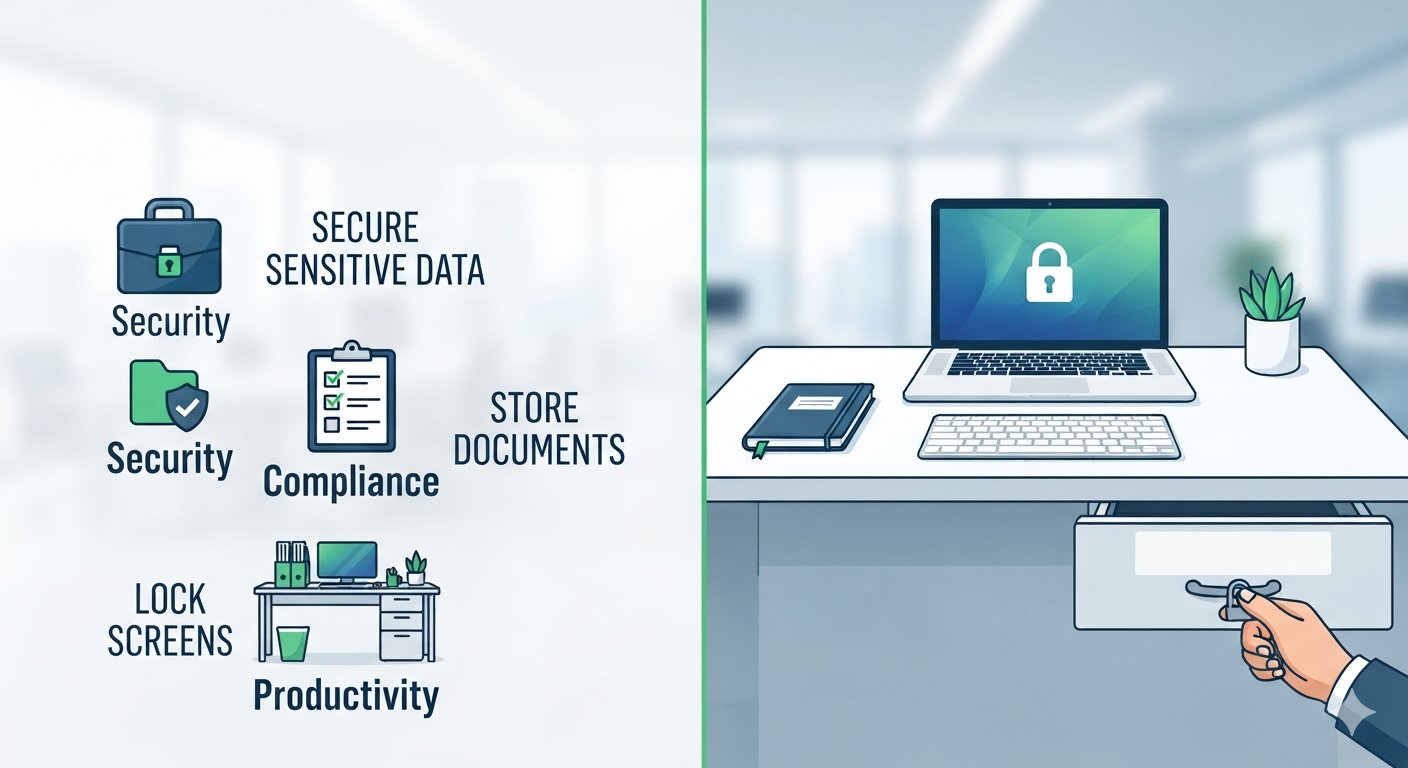
- Lock computer screens when stepping away — Even a short absence should trigger a locked screen, preventing anyone from accessing an unattended, logged-in computer.
- Secure physical documents — Sensitive papers, printouts, and notes should go into locked drawers or cabinets rather than sitting visibly on a desk.
- Clear whiteboards after meetings — Notes containing sensitive project details, client names, or strategic information shouldn’t remain visible after a meeting ends.
- Properly dispose of sensitive printouts — Documents no longer needed should go through shredding rather than a regular trash or recycling bin.
- Secure portable devices and storage media — USB drives, external hard drives, and similar items should be locked away rather than left accessible on an open desk.
- End-of-day desk clearing — At minimum, desks should be cleared of sensitive material before employees leave for the day, not just during business hours.
Why Clean Desk Policies Matter for Security
Physical access bypasses digital security entirely
Strong passwords and encryption don’t help if sensitive information sits printed on a desk. Physical security gaps create a completely separate attack surface that digital controls can’t address.
Insider and visitor risk
Not every risk comes from external attackers. Contractors, visitors, or even other employees without proper authorization can access sensitive information left unsecured in shared workspaces.
Compliance requirements
Industries handling sensitive data, healthcare, finance, and government contracting among them, often have specific physical security requirements that a clean desk policy directly supports.
Clean Desk Policy: What to Secure vs. What’s Generally Fine
| Category | Secure This | Generally Acceptable to Leave Out |
|---|---|---|
| Documents | Customer data, financial records, contracts | Non-sensitive general reference materials |
| Devices | USB drives, external storage, unlocked laptops | Personal items with no data storage |
| Screens | Any unlocked computer with active session | N/A, screens should always be locked when unattended |
| Whiteboards | Client names, strategic plans, credentials | Generic project timelines with no sensitive details |
| Printouts | Anything containing personal or confidential data | Public-facing marketing materials |
Why This Matters More Than People Expect
“Physical security gets overlooked constantly because it feels old-fashioned compared to cybersecurity threats. But a photo taken of an unattended screen or a stack of papers can cause just as much damage as a data breach, and it’s often far easier to pull off.” — Elena Vasquez, Physical and Information Security Consultant, Enterprise Risk Advisory Group, 2025.
Organizations often invest heavily in digital security while overlooking the physical layer entirely. A clean desk policy closes that gap, and it costs almost nothing to implement compared to technical security controls. This becomes especially relevant in flexible work environments using policies like CYOD, where devices move between locations more frequently, increasing the chance of sensitive information being left exposed in an unfamiliar setting.
How to Implement a Clean Desk Policy
- Document specific, clear requirements — Avoid vague language like “be careful with sensitive information.” Specify exact actions, like locking screens after five minutes of inactivity.
- Communicate the policy clearly — Explain not just what the policy requires, but why it matters, since employees follow security policies more consistently when they understand the actual risk being addressed.
- Provide the right tools — Ensure employees have access to locking drawers, cabinets, and secure shredding bins, since the policy only works if compliance is actually convenient.
- Conduct periodic walk-throughs — Regular, informal checks reinforce the policy and catch gaps before they become actual security incidents.
- Extend the policy to remote and hybrid workers — Clean desk principles apply just as much at home as in the office, particularly for employees handling sensitive client or company data remotely.
Frequently Asked Questions
What is a clean desk policy in simple terms?
A clean desk policy requires employees to secure sensitive documents, devices, and information whenever they step away from their workspace, protecting against physical security risks.
Does a clean desk policy apply to remote workers?
Yes, ideally. Remote and hybrid workers handling sensitive company or client data should follow the same principles at home, securing documents and locking devices when not actively working.
What industries require a clean desk policy?
Industries handling sensitive personal or financial data, including healthcare, finance, legal services, and government contracting, often have specific compliance requirements that a clean desk policy directly supports.
How is a clean desk policy enforced?
Enforcement typically combines clear written guidelines, employee training, periodic informal walk-throughs, and sometimes scheduled audits, rather than relying on a single enforcement mechanism alone.
Does a clean desk policy include personal items?
Generally no, unless those items pose a security risk. The focus stays on sensitive company or client information, devices, and documents, not general personal belongings on an employee’s desk.
Conclusion
A clean desk policy addresses a security risk that’s easy to overlook precisely because it feels low-tech compared to cybersecurity threats. Yet an unattended screen or an unsecured stack of sensitive documents can expose information just as effectively as a digital breach, often with far less effort required from whoever exploits it. Implementing clear, specific requirements, backed by the right tools and regular reinforcement, closes a physical security gap that costs little to fix but carries real consequences when ignored.
For related reading, see our guides on CYOD (Choose Your Own Device), ITAD (IT Asset Disposition), and data center cleaning standards.